Accessing Call Summaries
- Access Call Summary:
- Select Call Summary to view detailed call records.

Filtering Call Records
- Quick Filters:
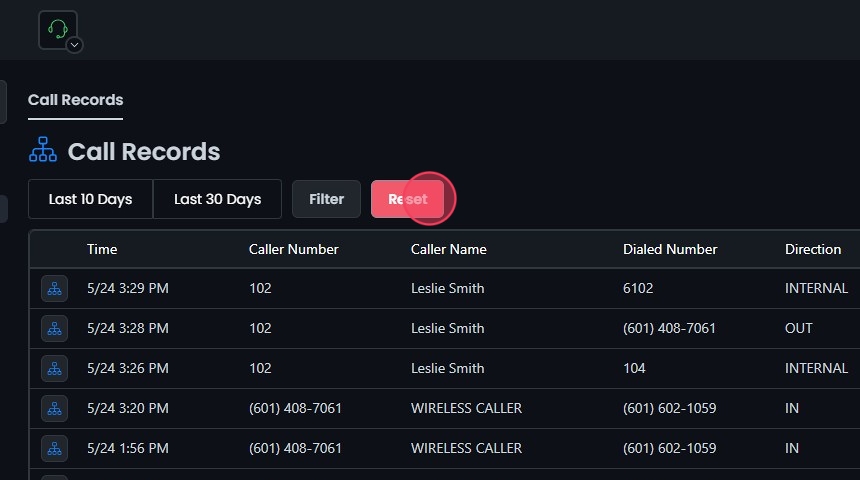
- Use the quick filters to view call records by selecting options like Last 30 Days or Last 10 Days.

- Custom Date Range:
- After selecting the Filter option, click Select Date Range to choose a specific date range and time from the calendar.
- Refine your search by call direction (Inbound, Outbound, Internal, or All) or by dispositions (Answered, No Answer, Busy, or Failed).
- The call records that appear will be from the selected date range and filters.

Displaying and Resetting Filters
- Displaying Records:
- Once you have selected your filters, the call records will be displayed. These records include:
- Date and time of the call
- Caller number
- Caller name
- Dialed number
- Call direction
- Disposition
- Duration
- Packet loss
- Jitter
- MOS score

- Reset Filters:
- Click the Reset button to remove all filters and start your search over.