

Create the campaign
- Go to https://app.voxo.co/accounts.
-
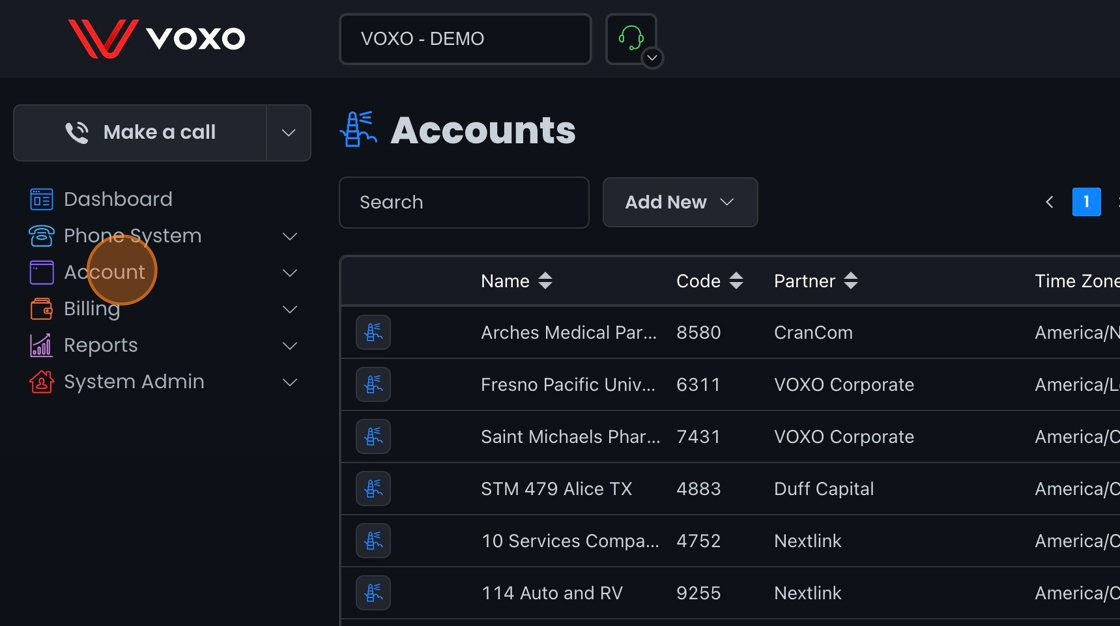
Click Account.
-
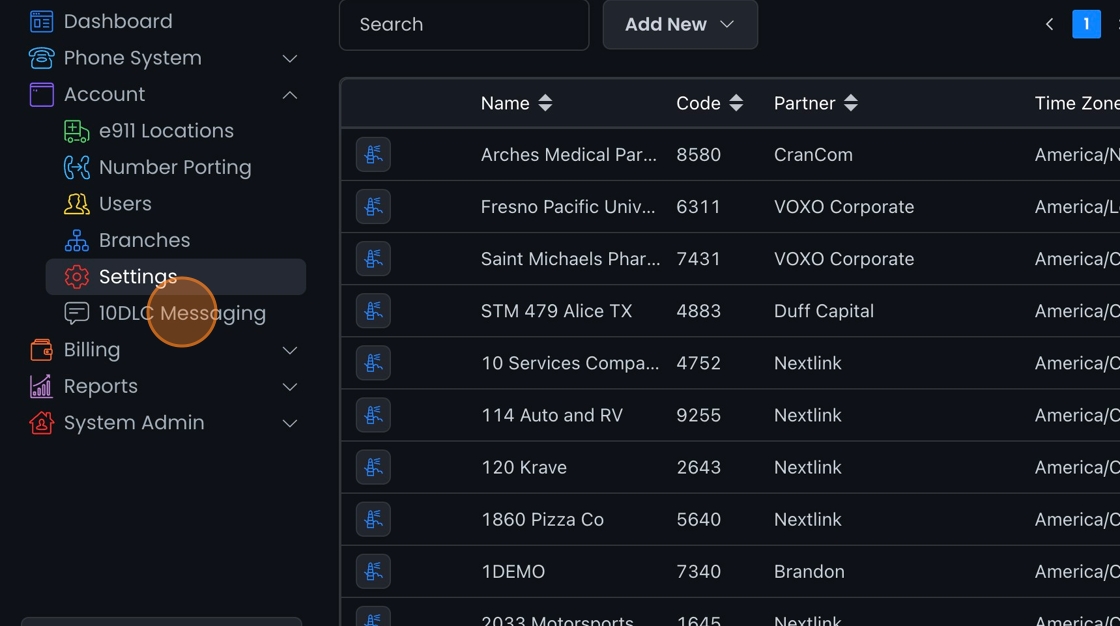
Click 10DLC Messaging.
-
Click Campaigns.

-
Click Add New.

-
In the Campaign Description field, describe in detail why your business will use SMS. For example:
“Messaging campaign to allow VOXO employees to receive SMS from customers along with 2FA codes”

-
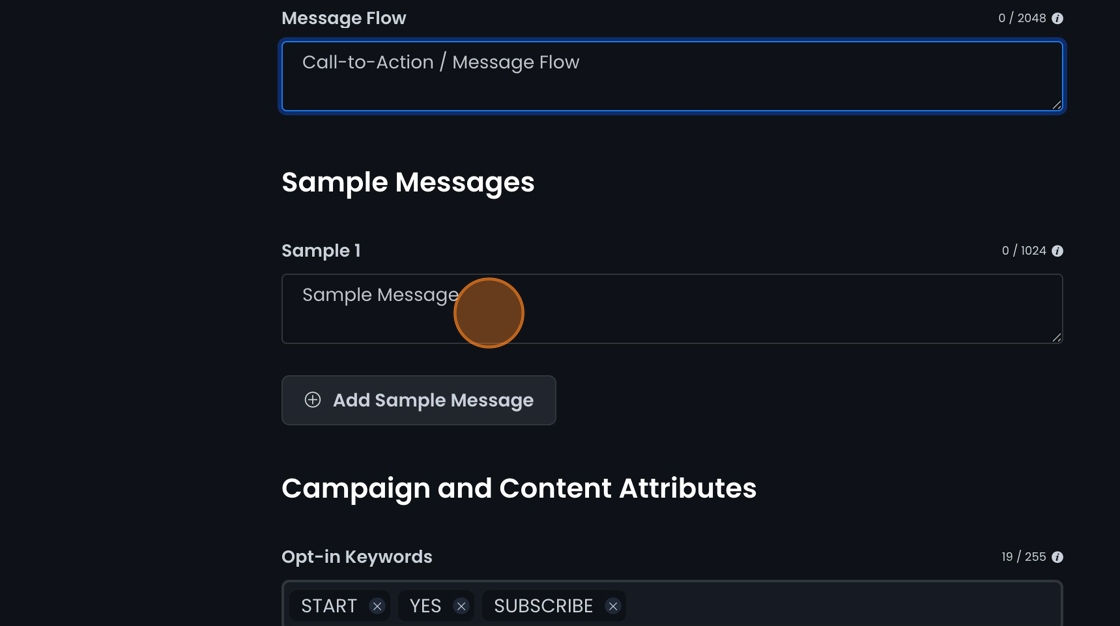
Fill in the Call-to-Action / Message Flow field. This has to show how a customer logs in and must match your business web presence. For example:
Customer opts in by sending the first message to the number requested stating “Sending this text to receive messages from VOXO in regard to my account or service received from VOXO”

-
Fill in the Sample Message field. Each message must include your brand name (business name) and the opt-out and help disclaimers. For example:
“VOXO: Yes we will be available for a call this afternoon at 5p.m. CST. Msg & data rates may apply. Reply Help for help, and STOP to cancel.”
-
In the help message field at the bottom of the page, add your business email as the help contact.

-
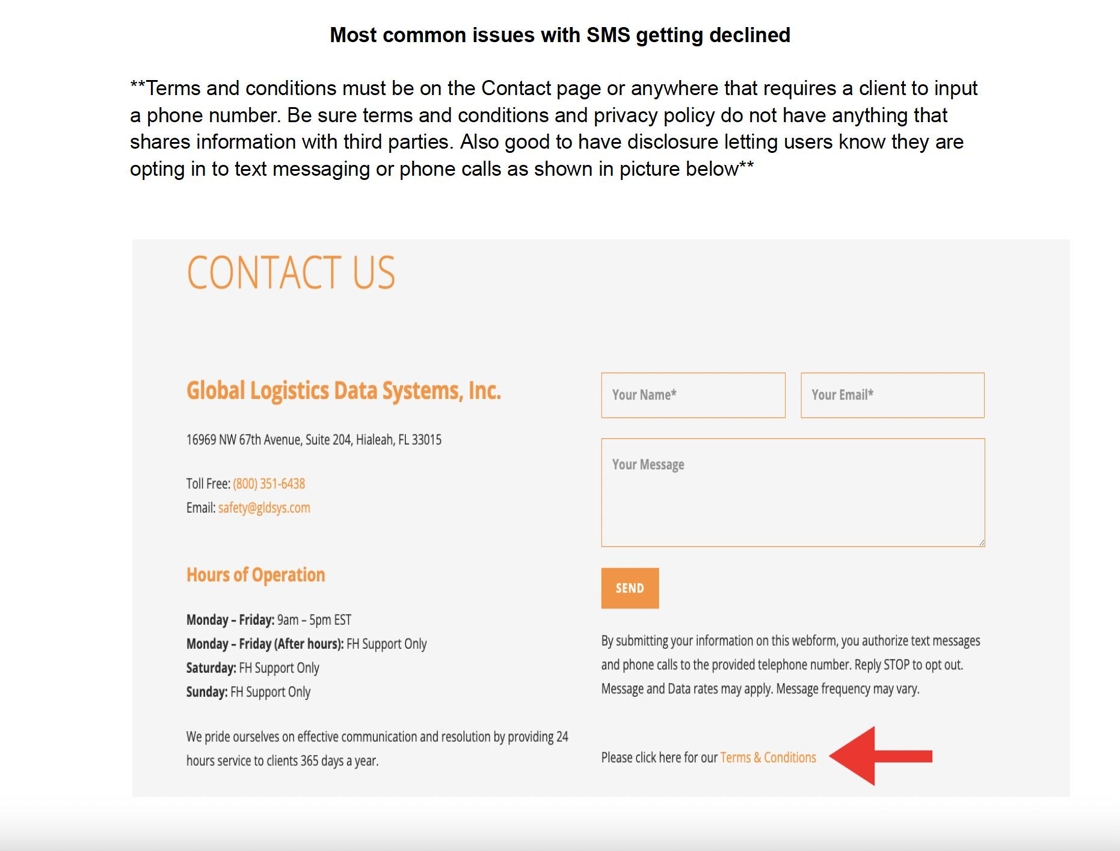
Check your website. Any page that asks for a phone number needs the SMS disclosure and a link to your terms and conditions. The example below shows a contact page that meets these rules.
Compliance requirements that prevent rejection
Most campaign denials come from a few specific, avoidable gaps. Before you submit, confirm all of these:- Disclosures must be on the same page where you collect phone numbers. The opt-in language, “Msg & data rates may apply,” message frequency, and STOP/HELP instructions all have to appear on the sign-up/opt-in page itself. A separate Terms & Conditions page reachable only from a footer link does not satisfy this.
- Your HELP reply must include a way to contact the business. A bare “Reply STOP to opt out” is not enough — the HELP response has to contain a support email or phone number. For example:
For help, contact support@yourbusiness.com. Msg and data rates may apply, frequency may vary. Reply HELP for help and STOP to stop. - Healthcare brands (pharmacies, clinics, telehealth) face extra scrutiny. Your privacy policy must be hosted at a publicly accessible URL (no login required) and must explicitly state that mobile/phone-number information will not be shared with third parties for marketing. A generic privacy policy will be denied even if the URL works.
- A public privacy policy is required regardless of opt-in mechanism. 10DLC rules require every business to have a web presence — even a social media page — with a linked, publicly accessible privacy policy, whether the customer opts in on your website, verbally, or by texting a keyword.
- Only website opt-in needs the SMS Terms & Conditions link. If you use keyword (text-to-join) opt-in instead, set an opt-in keyword (such as START, YES, or SUBSCRIBE) and describe that flow in the Call-to-Action / Message Flow field (for example, “Customers opt in by texting START to our number”). You still need the privacy policy.
- Use an email you can check for brand verification. Brand registration sends a 2FA code to the email on the brand application. A stale, shared, or unmonitored inbox will stall brand approval indefinitely.
Sample Terms and Conditions for SMS Service
Use this as a starting point for your own terms. Replace the bracketed and parenthesized placeholders with your business details.[Your Company Name] SMS Terms of ServiceSMS Privacy Policy
- Acceptance of Terms. By opting into receiving communication via SMS, you accept these Terms of Service and agree to receive text messages from [Your Company Name] on your mobile device.
- User Opt-In. You can opt into our SMS service by texting Subscribe to (insert number here). By opting in, you consent to receive text messages from us.
- Message Frequency. Message frequency will vary based on our promotions, alerts, and notifications.
- Standard Message and Data Rates. Standard message and data rates may apply to all text messages sent and received.
- Opt-Out Procedure. To stop receiving messages, text STOP to [Your SMS Number] at any time.
- Limitation of Liability. [Your Company Name] is not liable for delayed or undelivered messages.
- Amendment of Terms. We reserve the right to change these terms by notifying you through SMS or on our website.
- Information Collection. We collect information you provide directly to us when you opt into our SMS service, such as your mobile phone number.
- Use of Information. The information collected will be used to send SMS messages and for internal analytics purposes.
- Information Sharing. Your personal information will not be shared with third parties, except as required by law.
- Data Security. We implement security measures to ensure the safety of your personal information.
- Access to Your Information. You may request access to your personal information that we hold.
- Changes to This Privacy Policy. Our Privacy Policy may change from time to time. We will notify you of any changes by posting the new policy on our website.
- Contact Us. If you have questions about this privacy policy, please contact us at [Your Contact Information]. You can email blal@ha.com or text HELP to (your business number).