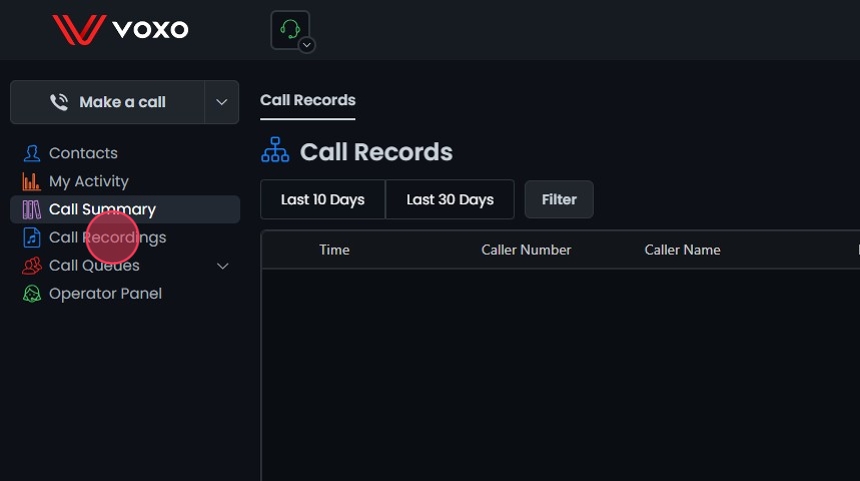
This guide provides step-by-step instructions for accessing, saving, and listening to call recordings in Omnia.
This guide provides step-by-step instructions for accessing, saving, and listening to call recordings in Omnia. It includes instructions for filtering recordings by date range, call direction, and dispositions.
Call Recordings Availability:Call Recording is available for all users with call recording enabled.
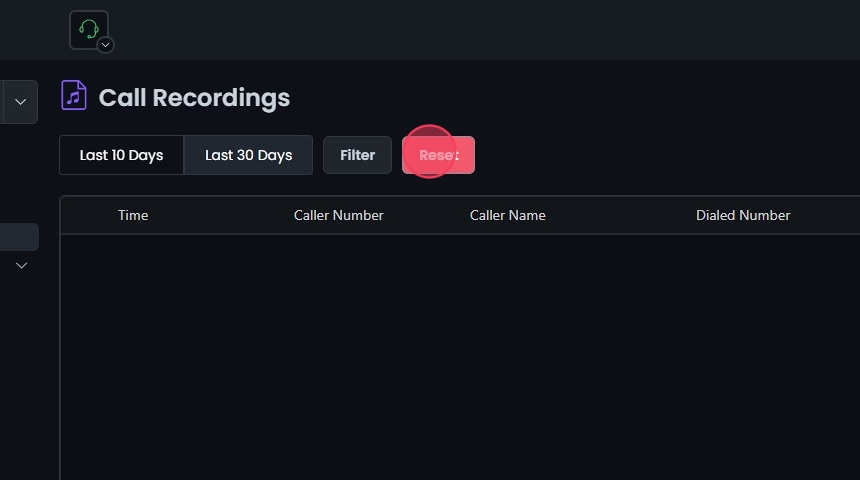
To find a specific call, filter your call recordings by date range. Choose from Last 10 Days or Last 30 Days. The recordings will be from the selected date range.
Filter by Call Direction and Dispositions:
Further refine your search by selecting call direction (Inbound, Outbound, Internal, or All) or dispositions (Answered, No Answer, Busy, or Failed). The recordings will be filtered based on the selected date/time range and filters.
Reset Filters:
Click Reset to remove all filters and start your search over.